Fleet
See how a car performs
Views, detail opens, list position, bookings and revenue.
Available onWebsiteiPhoneAndroid
In Fleet, click the car's name. Choose 7d, 30d or 90d at the top.
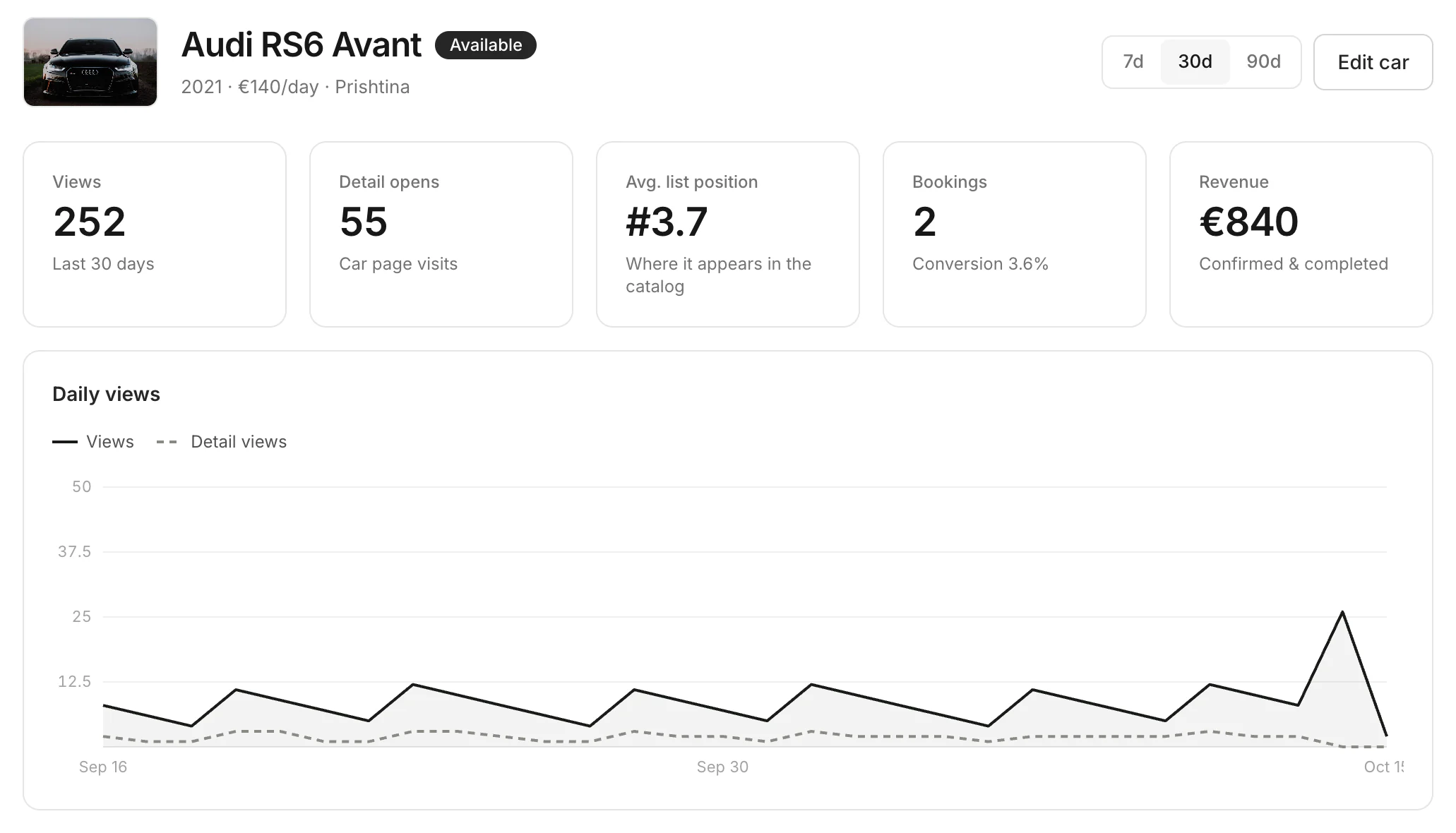
What the numbers mean
| Number | What it counts |
|---|---|
| Views | How often renters saw the car in the catalog |
| Detail opens (Opens) | How often they opened its page |
| Avg. list position (Position) | Where it showed in the list, on average. #1 is the top. |
| Bookings | Bookings in the period. Conversion is bookings per page opened. |
| Revenue | From confirmed and completed bookings |
Good to know
- Compare your cars in Fleet: every row shows the same numbers.
Still need help? Contact Rento support from your company dashboard.