Take a car off the road
Block dates for maintenance, repairs or personal use.
Available onWebsiteiPhoneAndroid
Block the days a car can't be rented, or take it off the market until it's ready again.
Block some dates
On the dashboard.
Open Availability
In Fleet, click Edit on the car, then the Availability tab. Or click Block on the car's row.
Add the dates
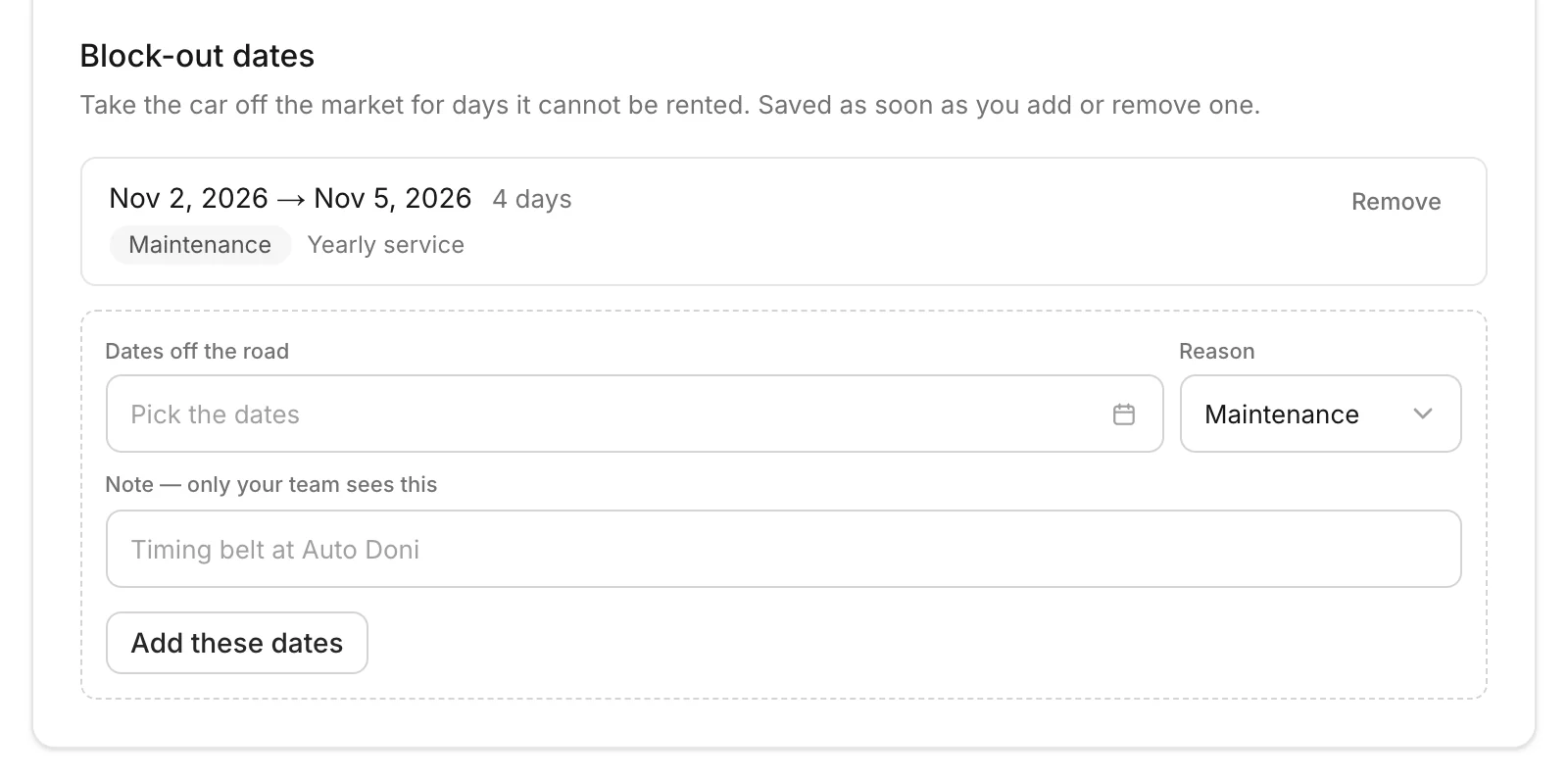
Under Block-out dates, pick the Dates off the road and a Reason. Add a note if you like. Click Add these dates. It's saved straight away.
Until it's ready again
Set the car's listing status to In the garage on the dashboard, or Maintenance in the apps. Renters can't book it, and its bookings stay.
In Fleet, click Edit on the car. Under Listing status on the Details tab, choose In the garage and click Save details.
When it's ready, set it back to Live (Available in the apps).
Good to know
- Reasons: Maintenance, Repair, Cleaning, Personal use or Other. Only your team sees the note.
- Back early? Click Remove next to the block.
- On the iPhone, blocked dates show on the car's page under Upcoming.
Still need help? Contact Rento support from your company dashboard.