Fleet
Offer extras
Child seats, extra drivers and more: free, per rental or per day.
Available onWebsite
Extras are what renters can add while booking, like a child seat or full insurance.
Open Extras
On the dashboard, open Extras in the menu. You see the second driver and your other extras.
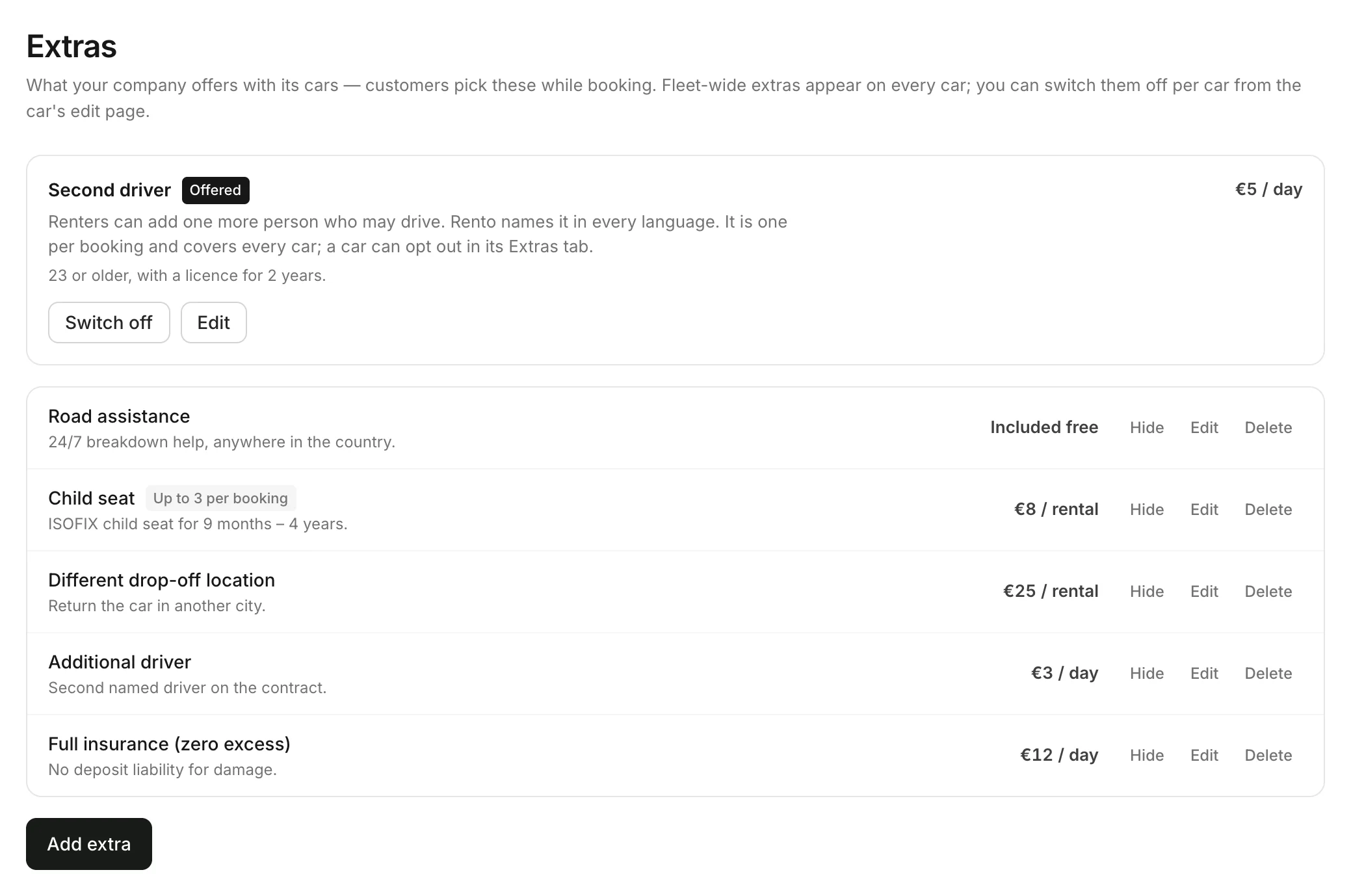
Add one
Click Add extra. Type a Name and choose what it Applies to: the whole fleet or one car. Choose the Pricing, the Most per booking and add a description. Click Add extra.
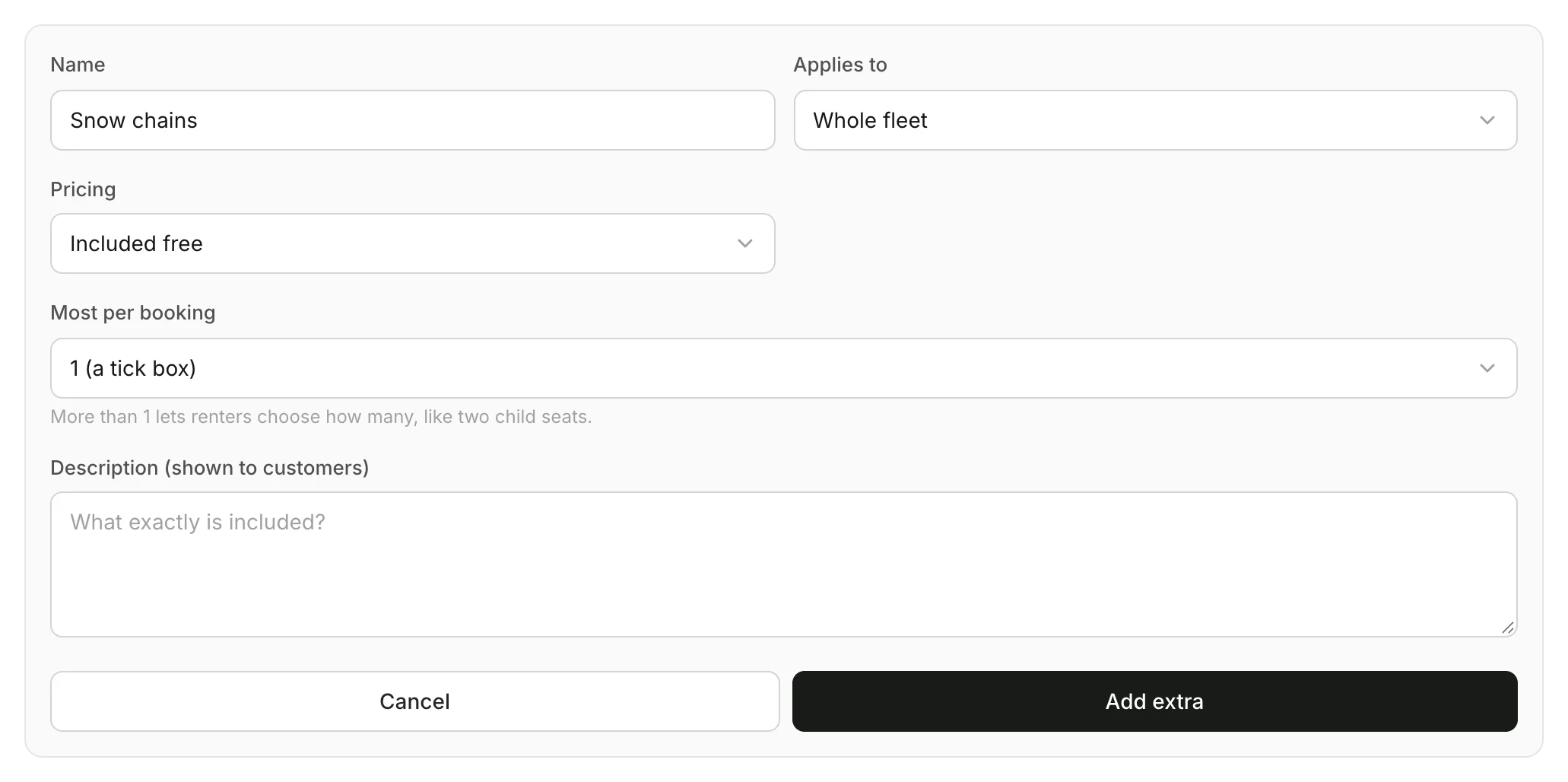
Pricing
| Pricing | Renters pay |
|---|---|
| Included free | Nothing |
| Fixed price per rental | Once per booking |
| Price per day | For each day of the rental |
The second driver
Rento has a second driver built in: one more person who may drive, named in every language. Click Offer a second driver, or Edit once it's on, to set the price and conditions, like age and licence. Switch off stops offering it.
Good to know
- Most per booking: 1 is a tick box. More lets renters choose how many, like two child seats.
- Hide takes an extra away for now. Delete removes it. Bookings keep what they had.
- Not on one car? A whole-fleet extra shows on every car. Switch it off on that car's Extras tab.
Still need help? Contact Rento support from your company dashboard.