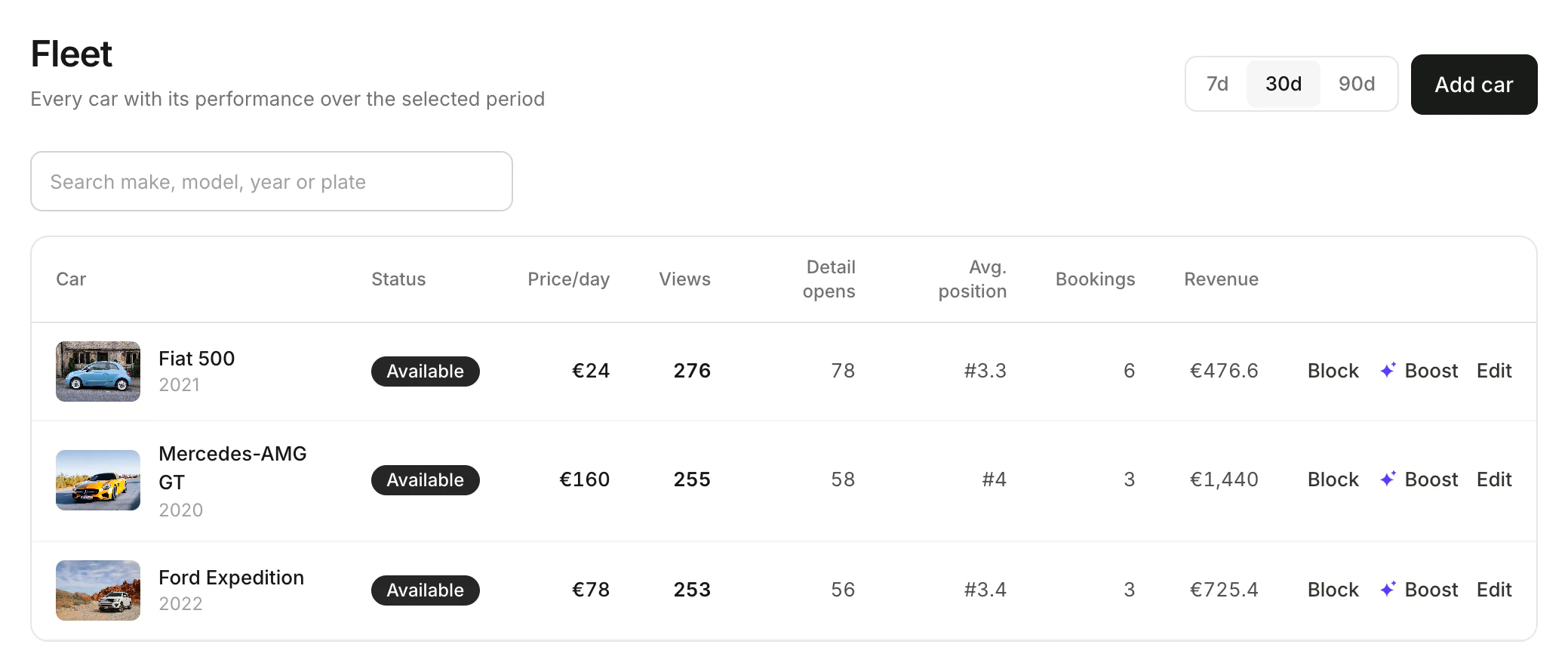
Fleet
Add a car
Make and model, specs, price, rules and photos.
Available onWebsiteiPhoneAndroid
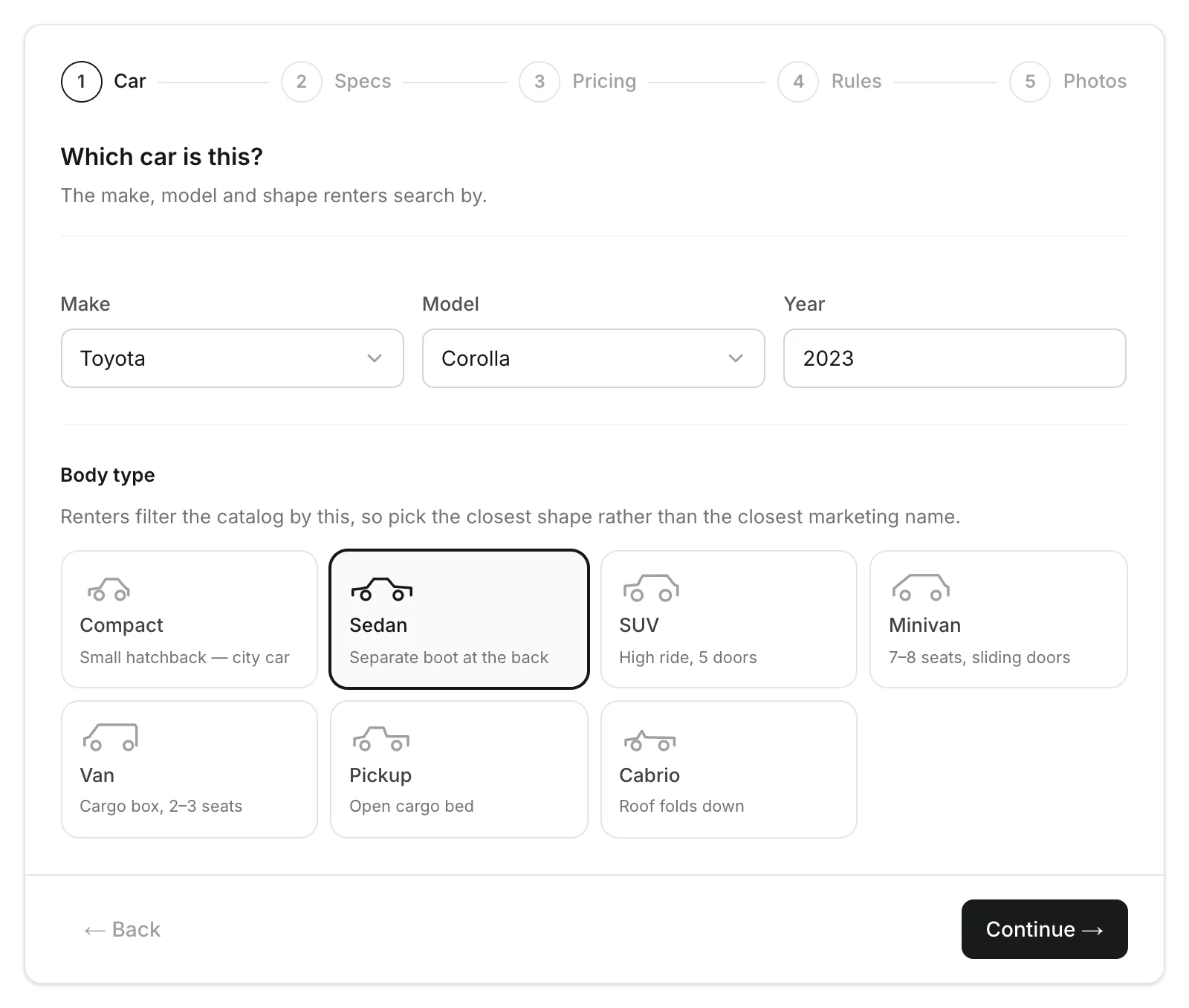
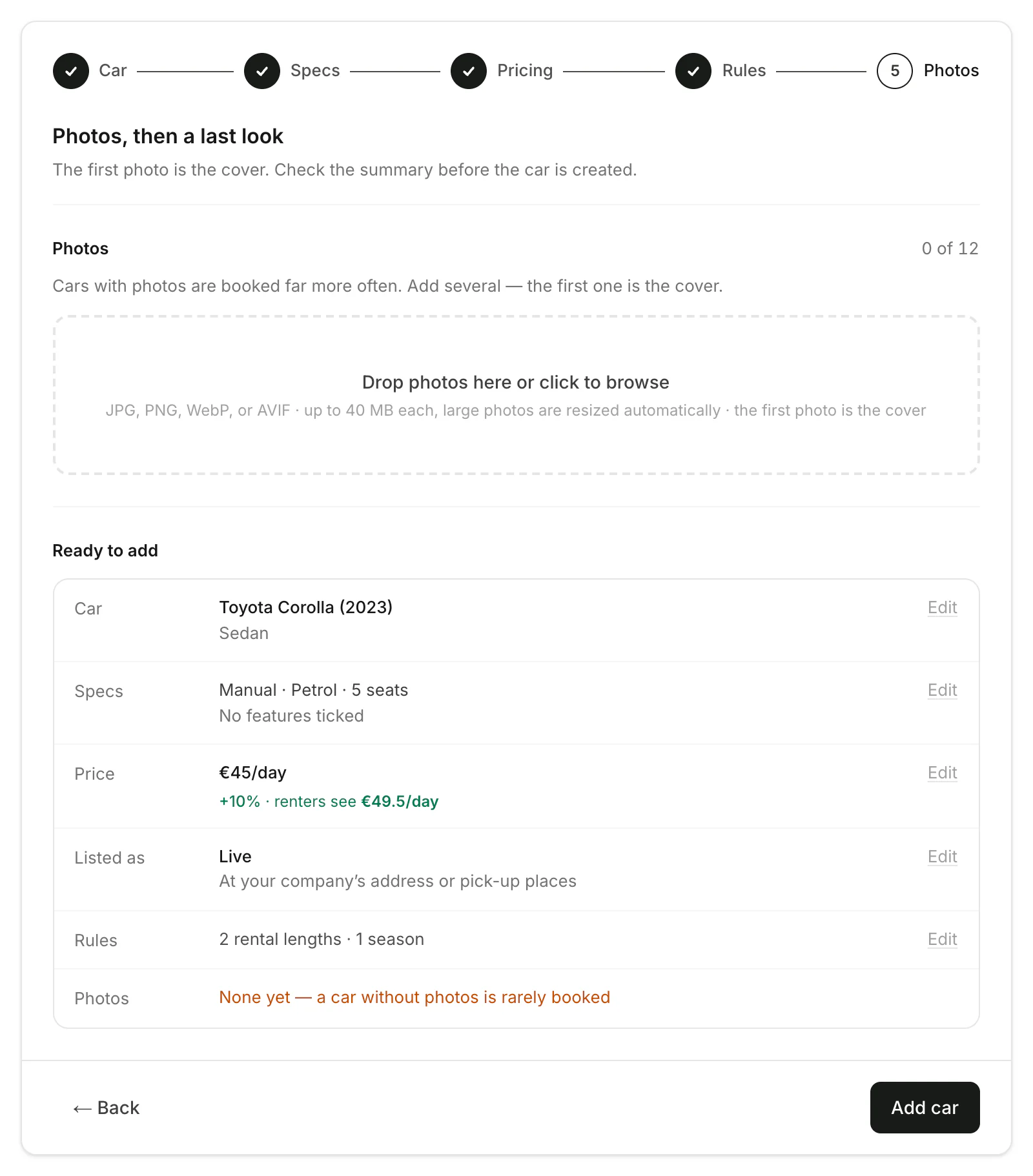
Only the make, model, year and price are needed. Everything else can wait.
Specs
Choose the gearbox, fuel and seats, and tick its features. Click Continue.
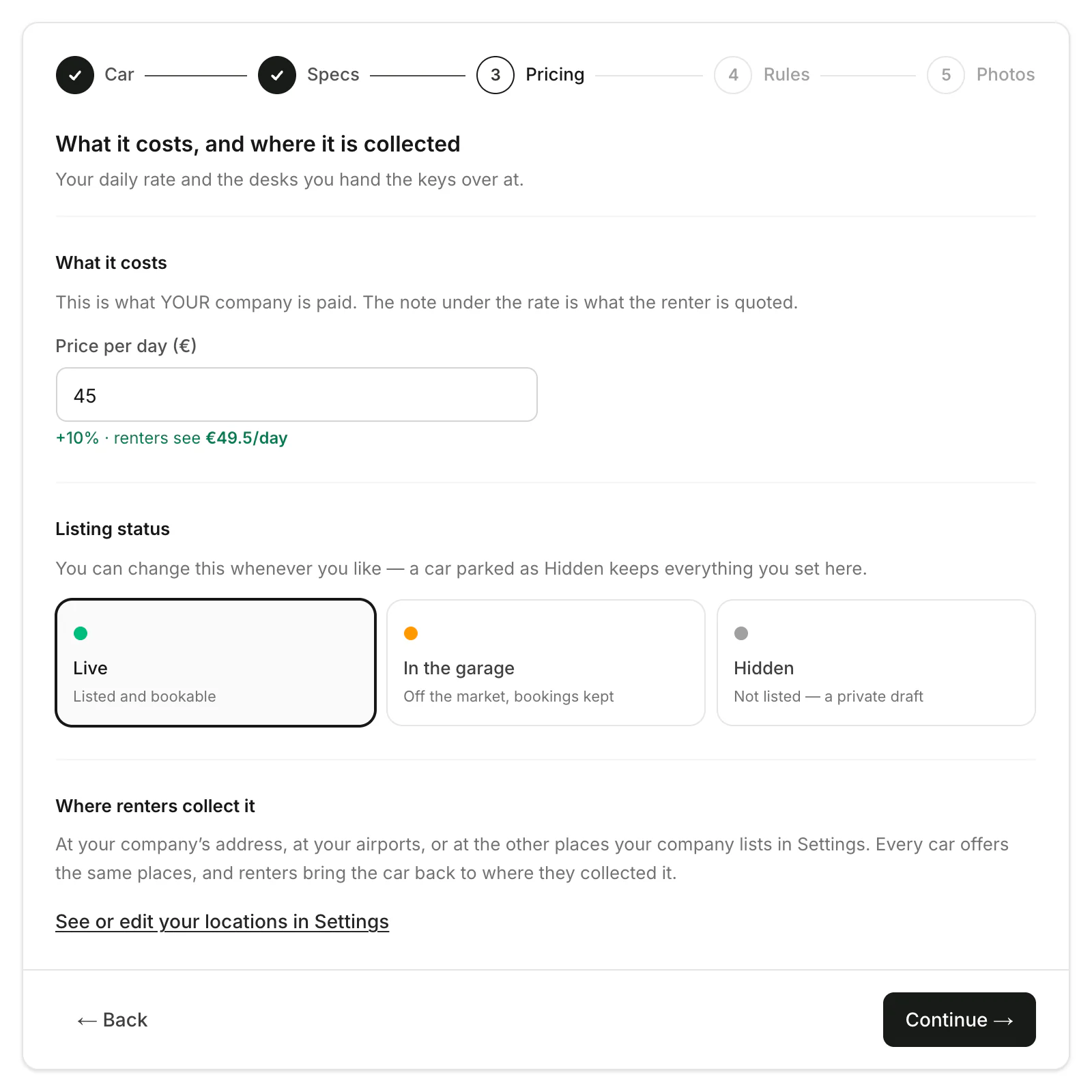
Price
Type the Price per day: what your company receives. Renters see it with Rento's 10% on top. Choose the Listing status, then click Continue.
Rules
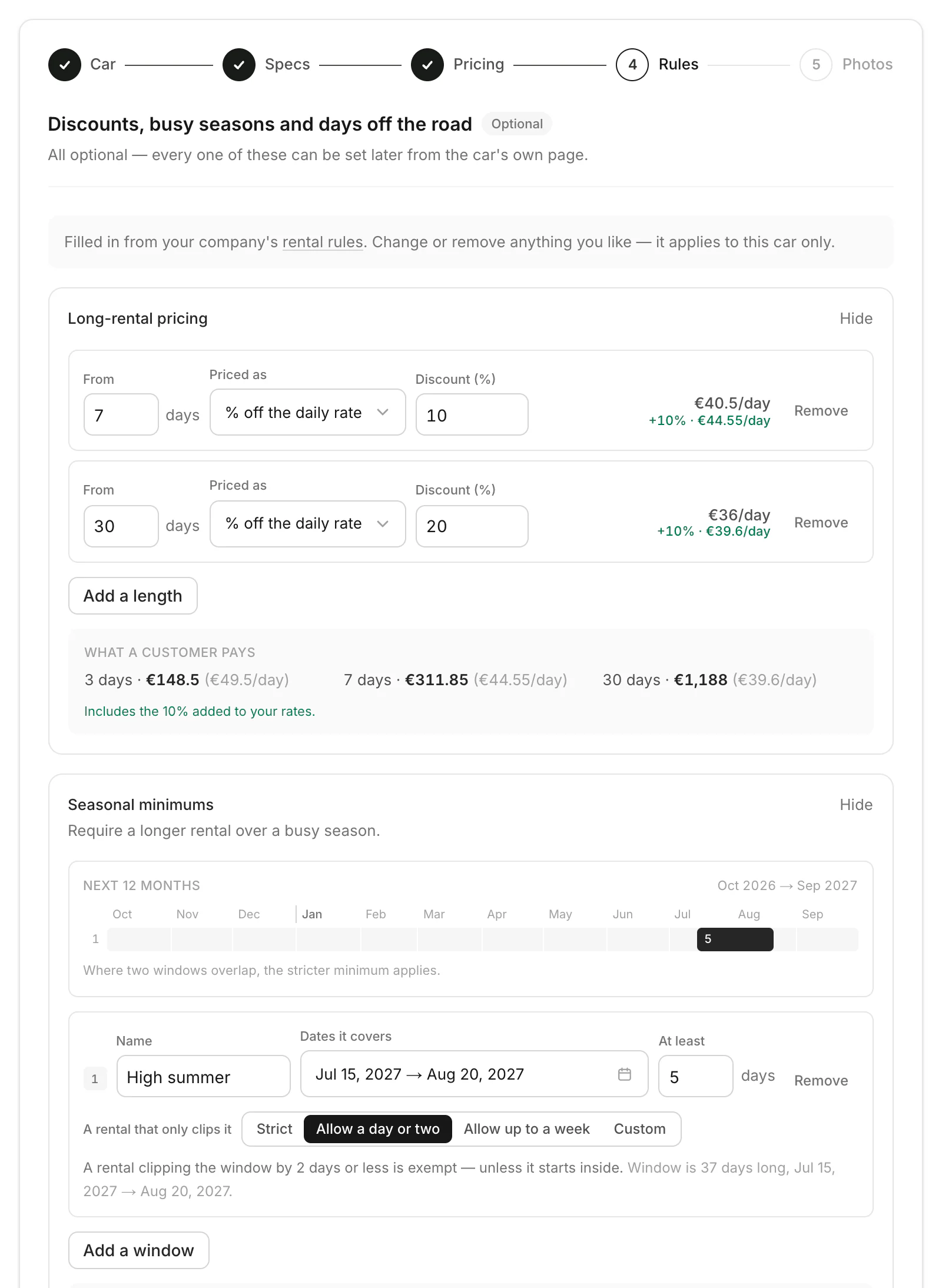
Long-rental pricing and seasonal minimums are filled in from your rental rules. Change them for this car, or leave them.
Good to know
- Your first car asks for your rental rules first on the website, so it starts with your long-rental discounts and seasonal minimums. Don't use any? Click Add a car without rules. Set rental rules for new cars
- On the website, leaving doesn't lose the car. Once you click Continue on the first step, it's saved as a draft as you go, photos included. Find it under Unfinished at the top of Fleet, then Continue or Delete it. A draft stays hidden from renters until you click Add car.
- Not ready to rent it out? Set the listing status to Hidden. Only your team sees it until you change it.
- Cars with photos are booked far more often. Add car photos
- Owners and managers can add cars. Staff can't.
Still need help? Contact Rento support from your company dashboard.