Fleet
Set prices and long-rental discounts
Daily price, cheaper rates for longer rentals, and seasonal prices.
Available onWebsiteiPhoneAndroid
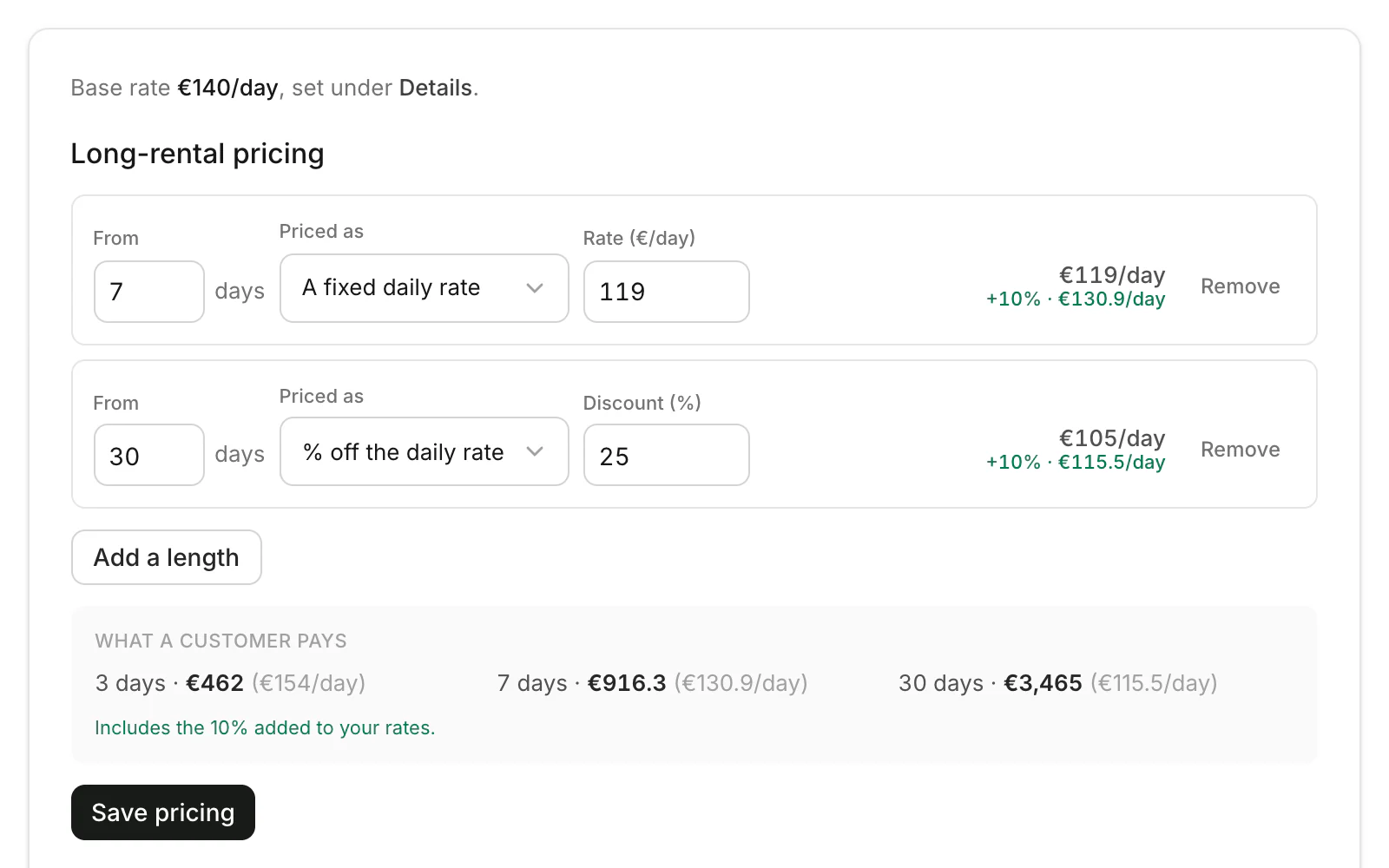
Every price you type is what your company receives. Renters see it with Rento's 10% added, shown under each price.
Daily price
In Fleet, click Edit on the car. Change Price per day on the Details tab and click Save details.
Long-rental pricing
Open the Pricing tab. Click Add a length, type From how many days, and choose A fixed daily rate or % off the daily rate. What a customer pays shows the result. Click Save pricing.
Seasonal prices
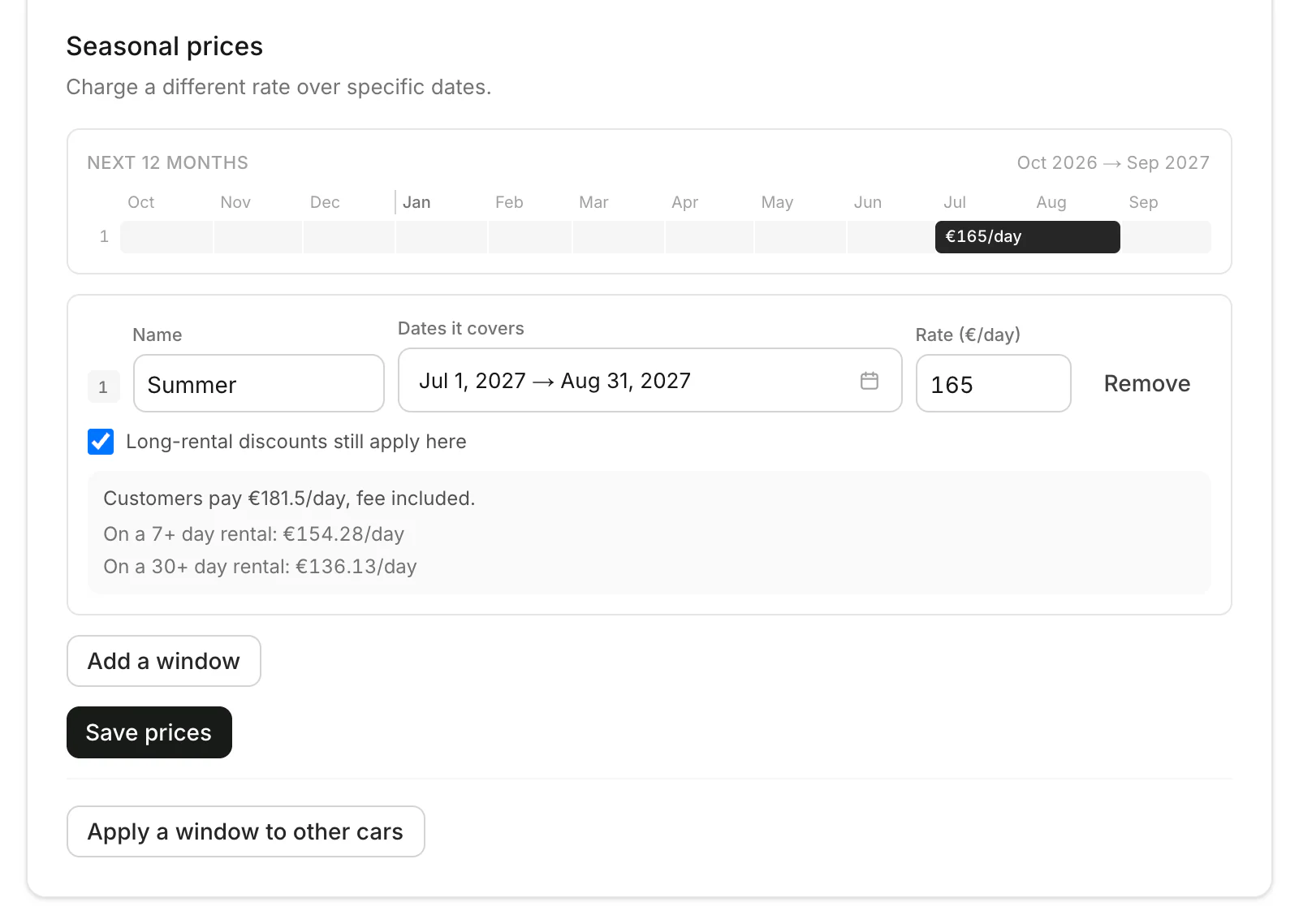
Below, click Add a window. Type a Name, pick the Dates it covers and the Rate. Tick Long-rental discounts still apply here if they should. Click Save prices.
Good to know
- Up to 6 lengths. Longer rentals can never cost more per day than shorter ones.
- The whole rental gets the rate. A 10-day rental at the 7-day rate pays it on all 10 days.
- Seasonal prices are set on the dashboard. Apply a window to other cars copies one to more of your fleet.
- New cars start with your rental rules.
Still need help? Contact Rento support from your company dashboard.