Contracts and handover
Sign your contracts once
Save your signature so contracts go out signed, automatically.
Available onWebsiteiPhoneAndroid
Save your company's signature once. Every contract then goes out already signed on your side, and only the renter is asked to sign.
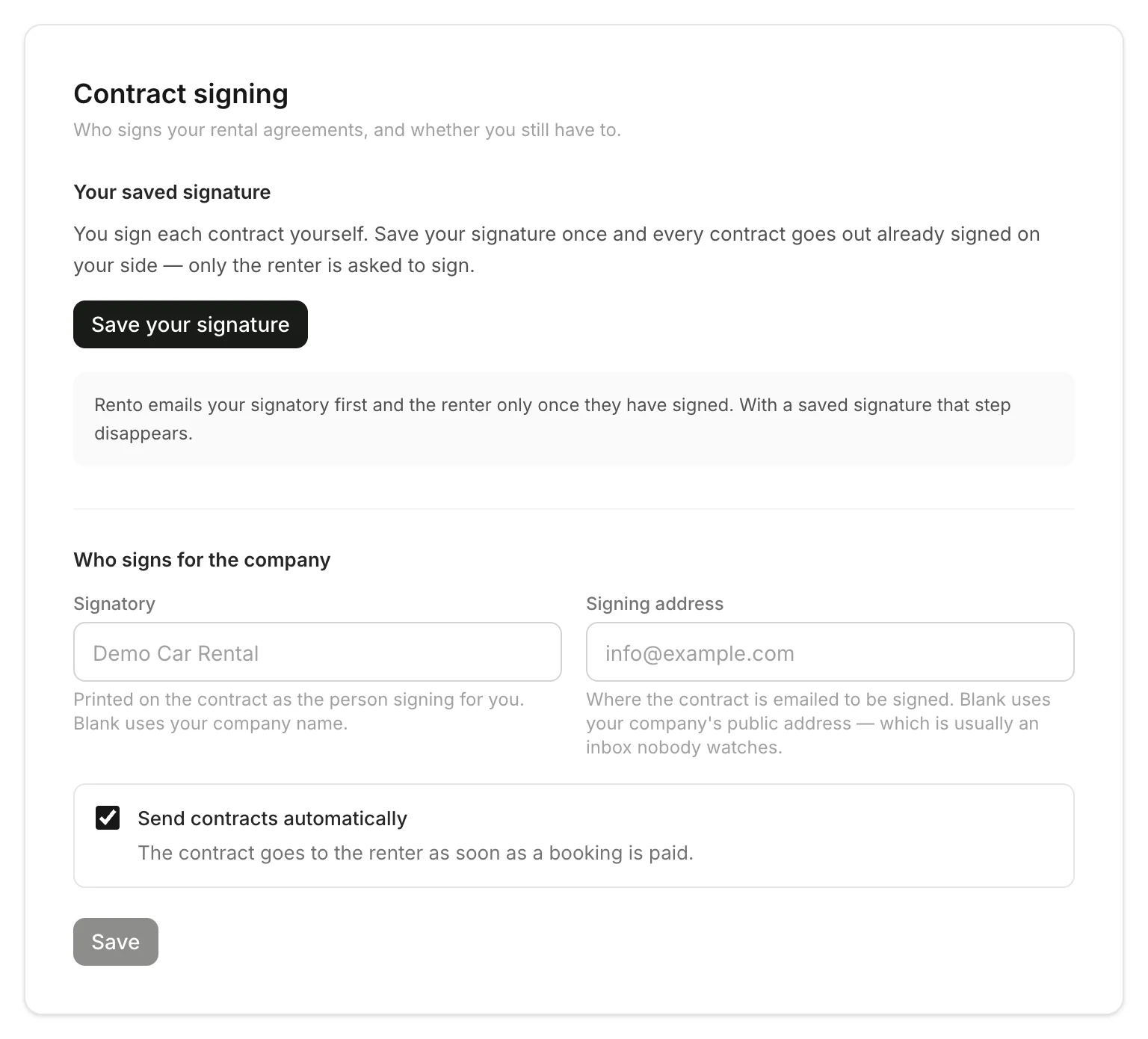
Save your signature
Click Save your signature. Draw it, Type your name, or Upload a photo of it on white paper. Click Save signature.
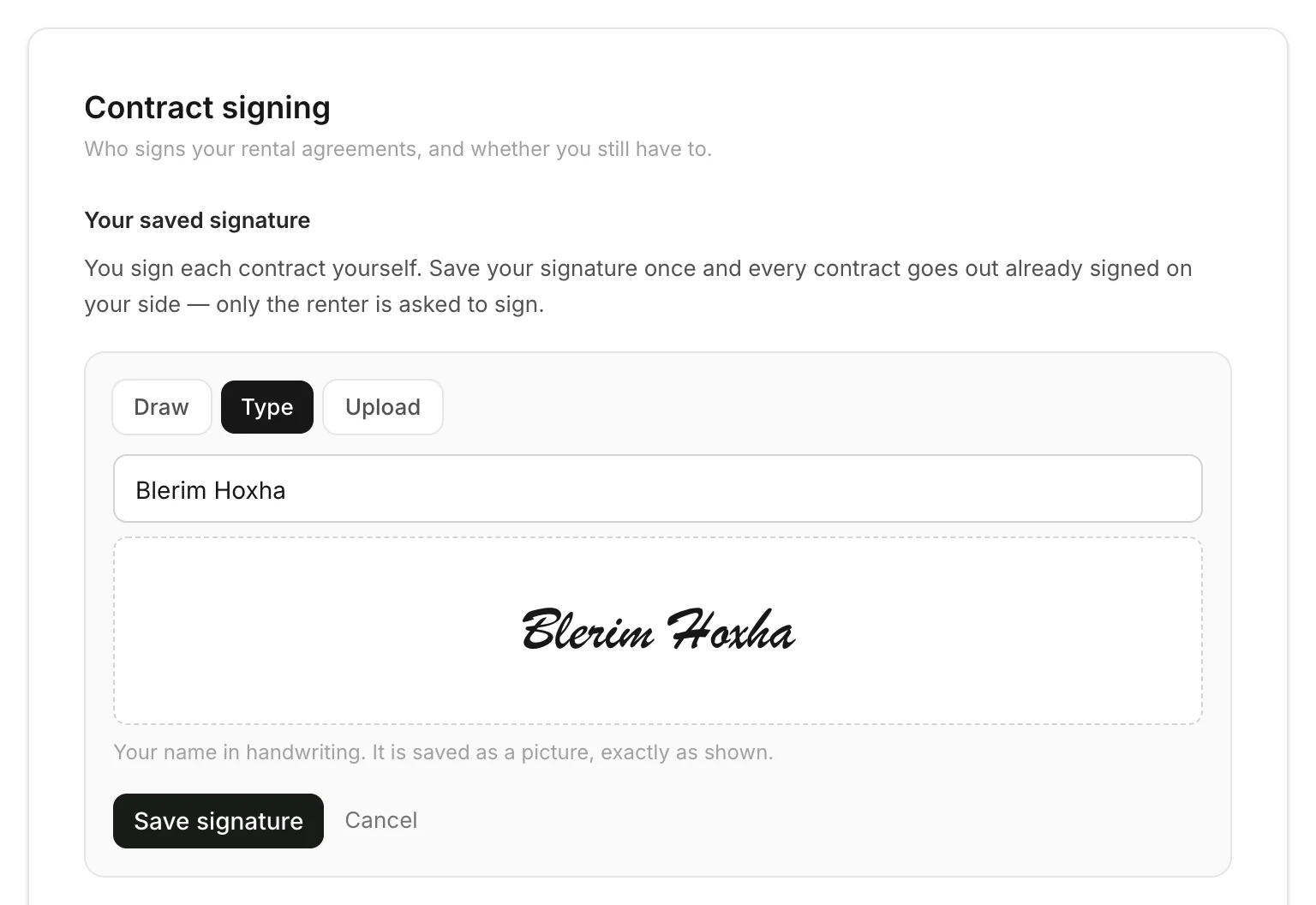
Who signs for the company
Without a saved signature, Rento emails each contract to your signatory first, and to the renter once they've signed. Set the Signatory (the name printed on the contract) and the Signing address (where it's emailed). Left blank, your company's name and public address are used, so a named person is better.
Send contracts automatically
- On: a contract goes out as soon as a booking is paid, when the renter's details are complete.
- Off: contracts are drawn up and wait for you to send them. Send a rental agreement
Good to know
- Only the company owner can change these settings.
- Replacing or removing your signature changes contracts from then on. Anything already sent stays as it was.
Still need help? Contact Rento support from your company dashboard.