Your company
Set your pick-up places
Add up to 12 places where renters can collect your cars.
Available onWebsite
Renters collect your cars at your company's address, or at another place you add: a second office or a hotel, say. When they book, they choose one. Every car offers all of them.
Steps
Open your places
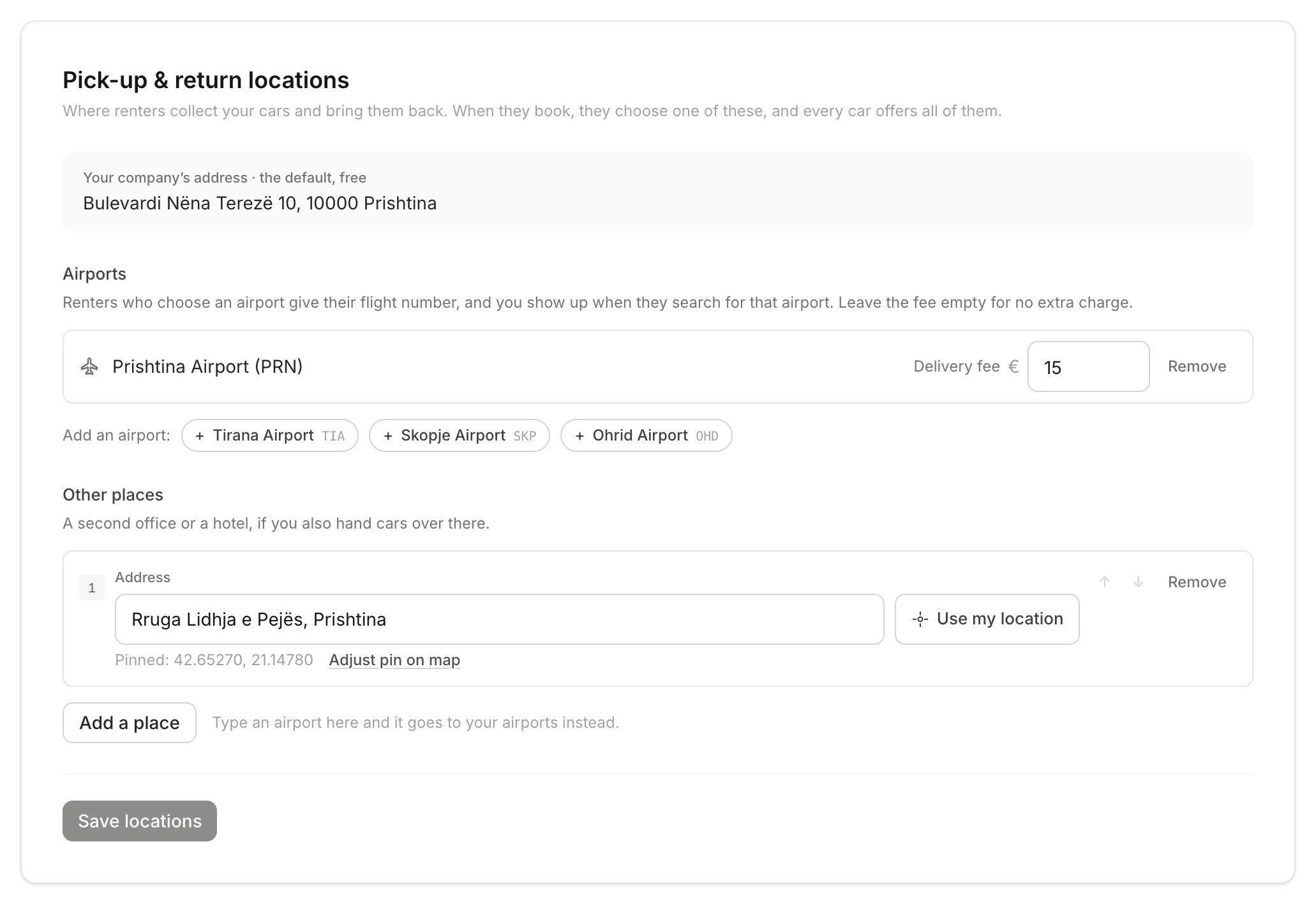
On the dashboard, open Settings. Find Pick-up & return locations on the Company tab. Your company's address is always first, and free.
Add a place
Under Other places, click Add a place and type the address. Pick a suggestion, or click Use my location. Check the pin with Adjust pin on map.
Save
Use the arrows to change the order, or Remove a place. Then click Save locations.
Good to know
- Up to 12 places.
- An airport? Type it here and it goes to your airports instead. Deliver to airports
- Renters return the car to the same place, unless you agree otherwise with them.
- Only owners can change pick-up places. It's on the dashboard only, not in the apps.
Still need help? Contact Rento support from your company dashboard.