Bookings
Use the fleet calendar
See every car’s bookings by week or month.
Available onWebsiteiPhoneAndroid
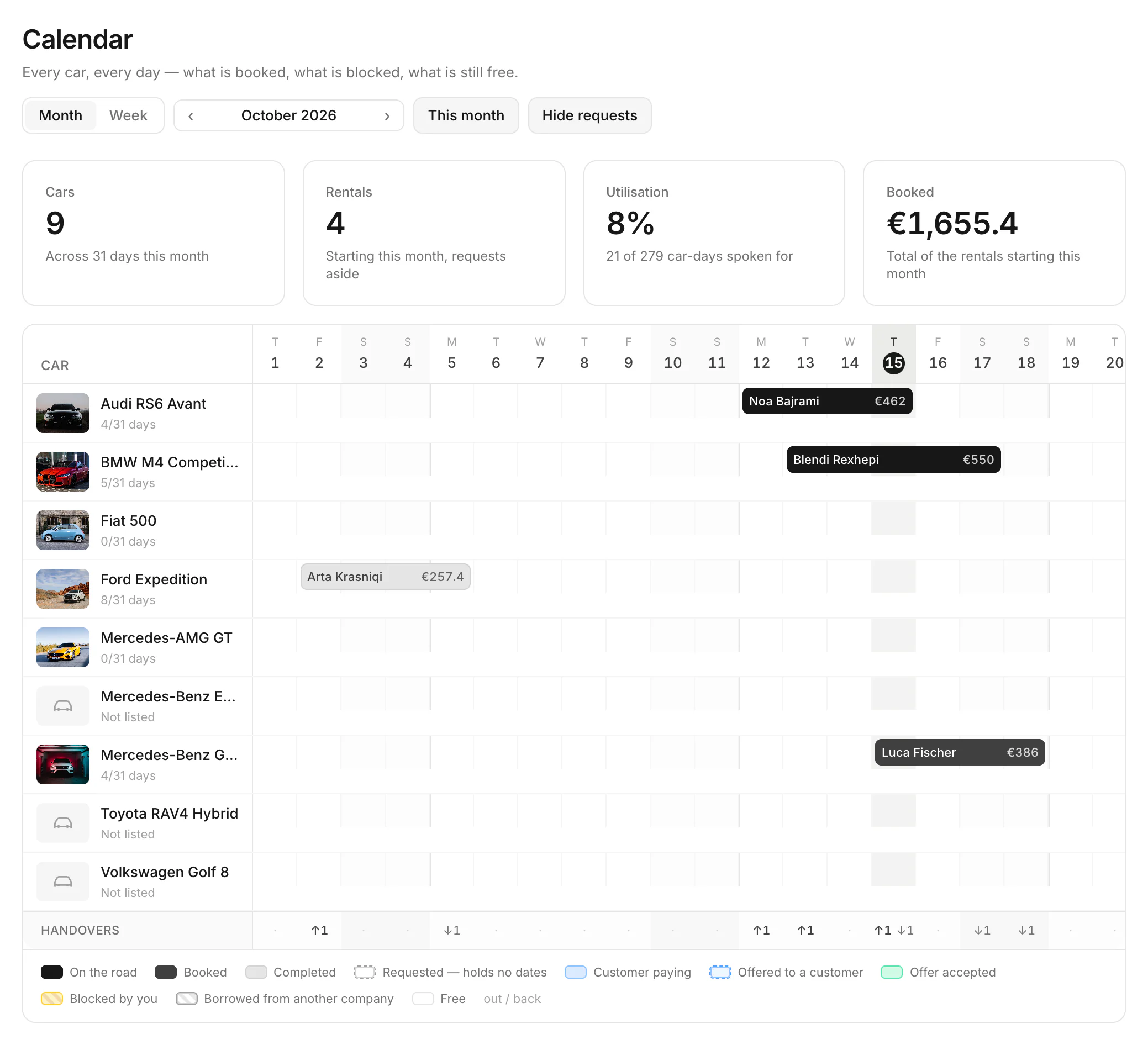
Every car, every day: what's booked, what's blocked and what's still free.
In the menu, open Calendar. Choose Month or Week, and move with ‹ and ›. Click a bar to open its booking.
What you see
- The numbers at the top: your cars, the rentals, how busy the fleet is (Utilisation) and what's booked.
- A bar for each rental, with the customer's name. The legend explains the colours: on the road, booked, completed, customer paying, offered to a customer, blocked by you.
- Handovers (dashboard): how many cars go out (↑) and come back (↓) each day.
Good to know
- The calendar is for looking. To block dates, see Take a car off the road.
Still need help? Contact Rento support from your company dashboard.