Bookings
Find and open bookings
Search, filter and open a booking to see charges and history.
Available onWebsiteiPhoneAndroid
Open Bookings
In the menu, open Bookings. Search by name, email, phone, car or booking ID. Filter by car or dates, or pick a status.
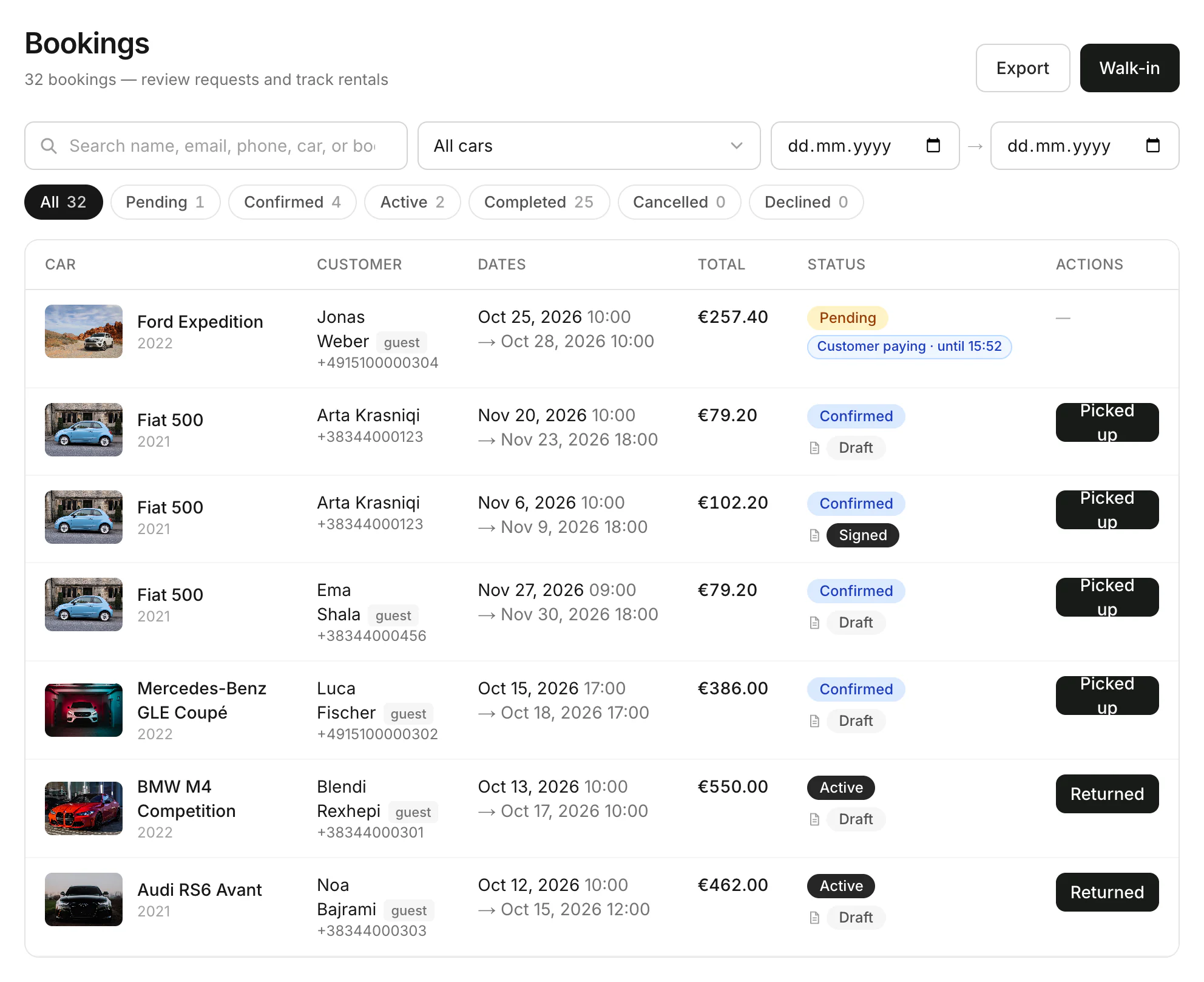
Open a booking
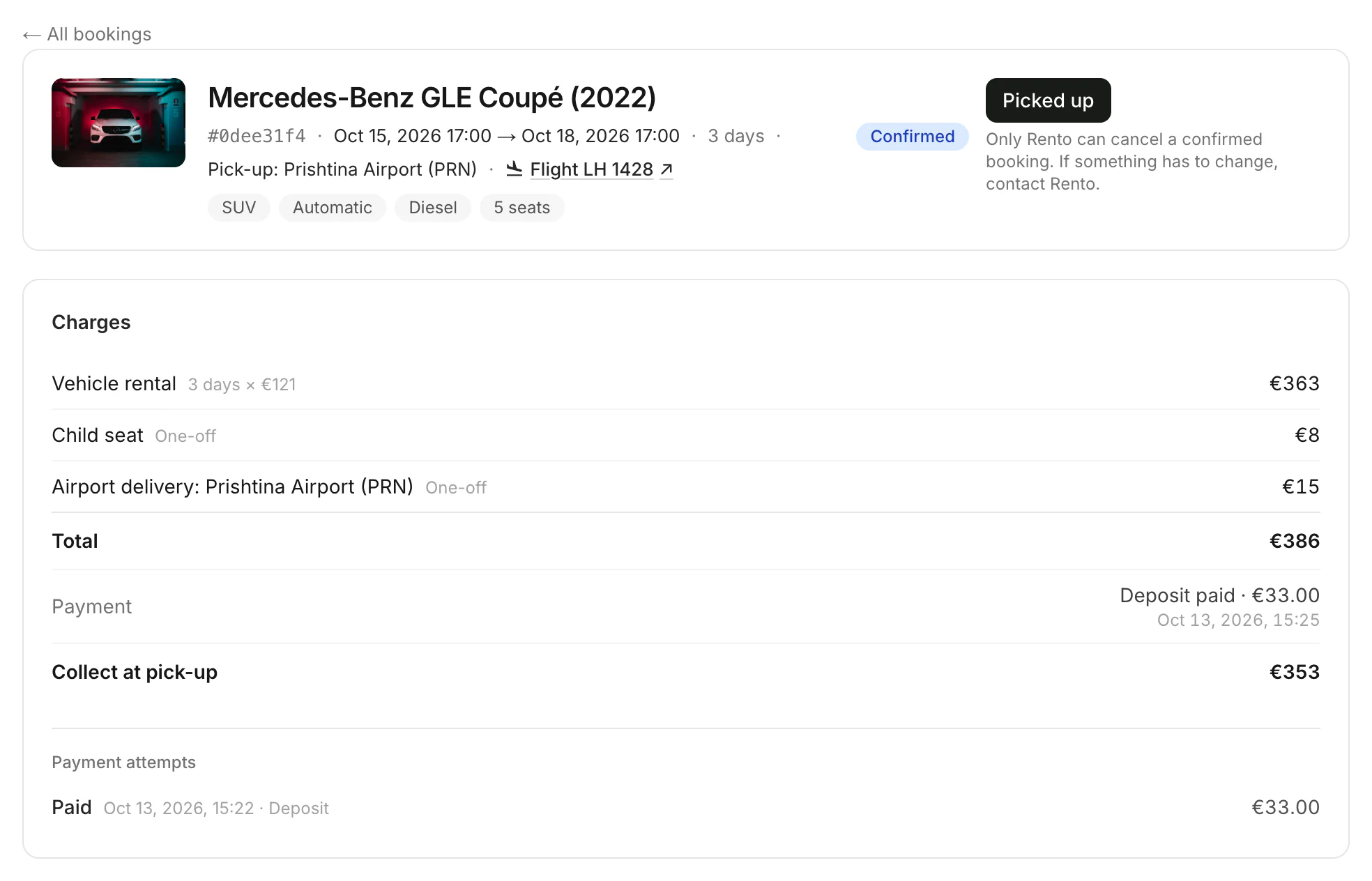
Click it. You see the dates, the pick-up place, any flight and the Charges: what was paid online and what to collect at pick-up. Further down are the renter, the contract, condition photos and the History.
Good to know
- A flight number opens a flight tracker, so you know when the customer lands.
- guest means the customer booked without a Rento account.
- To write to the customer on the dashboard, click Message → under the renter's details.
- What each status means: How bookings work
Still need help? Contact Rento support from your company dashboard.