Bookings
Hand over and take back a car
Mark a car picked up and returned, and charge for a late return.
Available onWebsiteiPhoneAndroid
Hand the car over
Open the booking and click Picked up. The button is also on the booking's row in Bookings.

The customer is told their rental is under way.
Take it back
Open the booking and click Returned. If the car is late, you see the late fee first: correct Returned at if you need to, then click Charge.
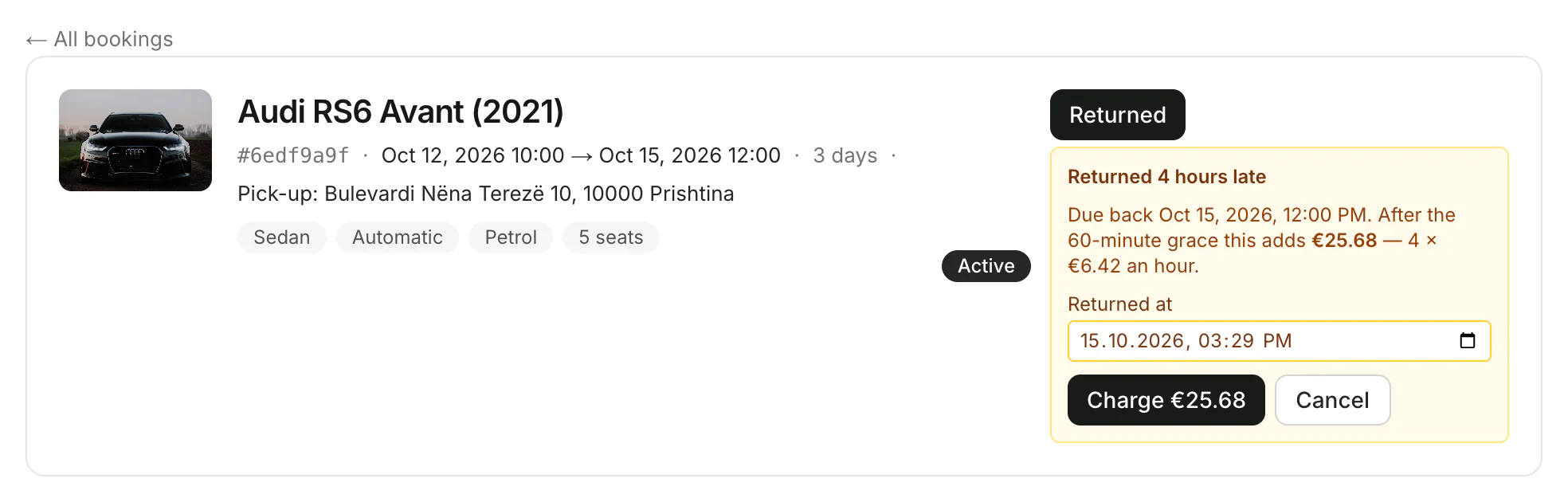
The rental is closed and the customer is told the car is back with you.
Late returns
- Up to an hour late is free. After that, every started hour costs a 24th of the daily price.
- Collect the fee at the return. The booking shows it under Charges.
- Wrong time? Only the dashboard lets you change the return time before charging.
Good to know
- Ask for a rating: after the return, show the customer the rating code. On the dashboard click Collect a review; in the apps tap Show the rating code.
Still need help? Contact Rento support from your company dashboard.