Customers and messages
Offer dates in chat
Hold dates for a customer until they pay.
Available onWebsiteiPhoneAndroid
Offer a customer a car for exact dates. The dates come off the market for them, and they book by tapping the offer in the chat.
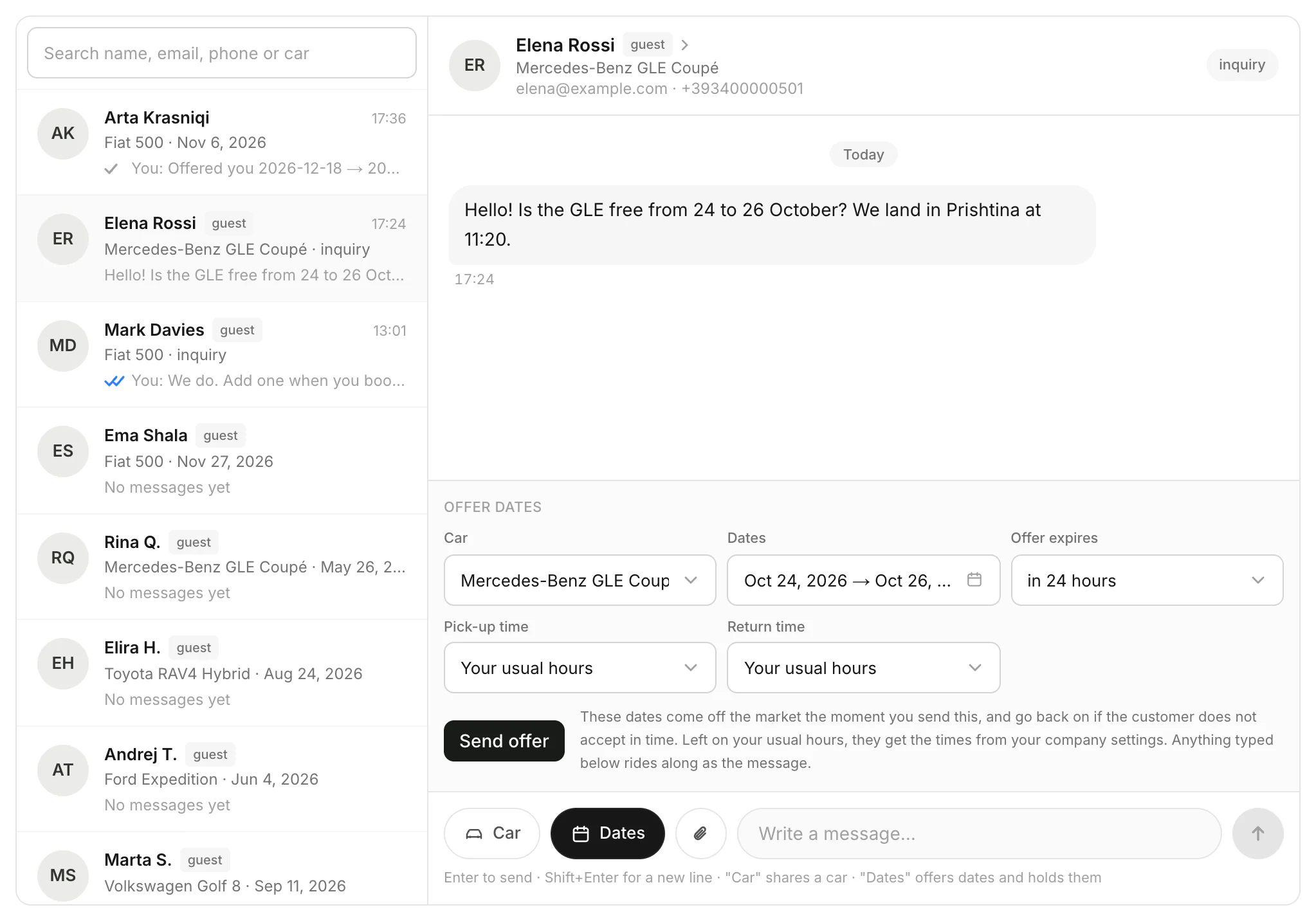
Fill in the offer
In the chat, click Dates. Choose the Car, the Dates and when the Offer expires. Leave the times on your usual hours, or pick others. Click Send offer.
The customer books it
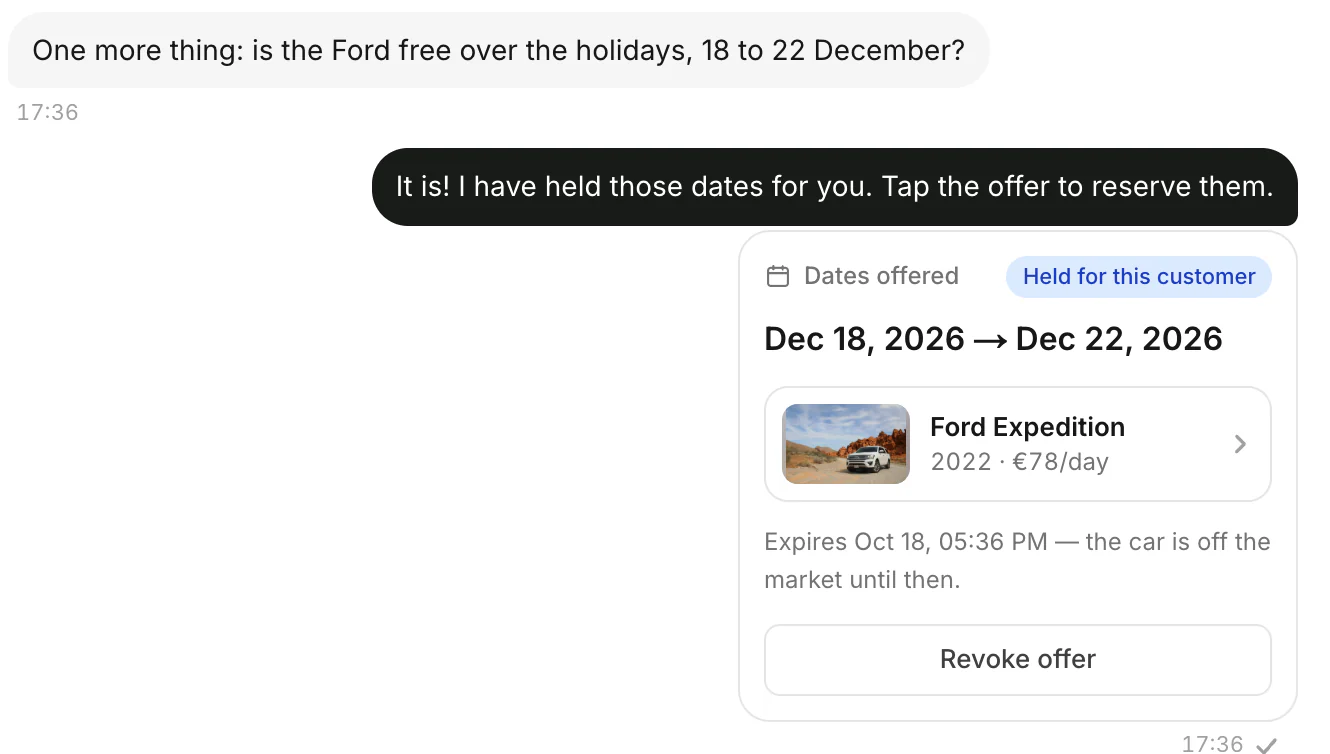
The offer shows in the chat, held for that customer until it expires. They tap it to book and pay.
Good to know
- An offer lasts 1 hour, 24 hours, 3 days or 7 days. If it isn't taken in time, the dates go back on the market.
- Changed your mind? Click Revoke offer (Withdraw offer in the apps). The dates are free again at once.
- On the calendar, offered dates show as Offered to a customer. Use the fleet calendar
- What the customer sees: Book dates a company offered you
Still need help? Contact Rento support from your company dashboard.