Customers and messages
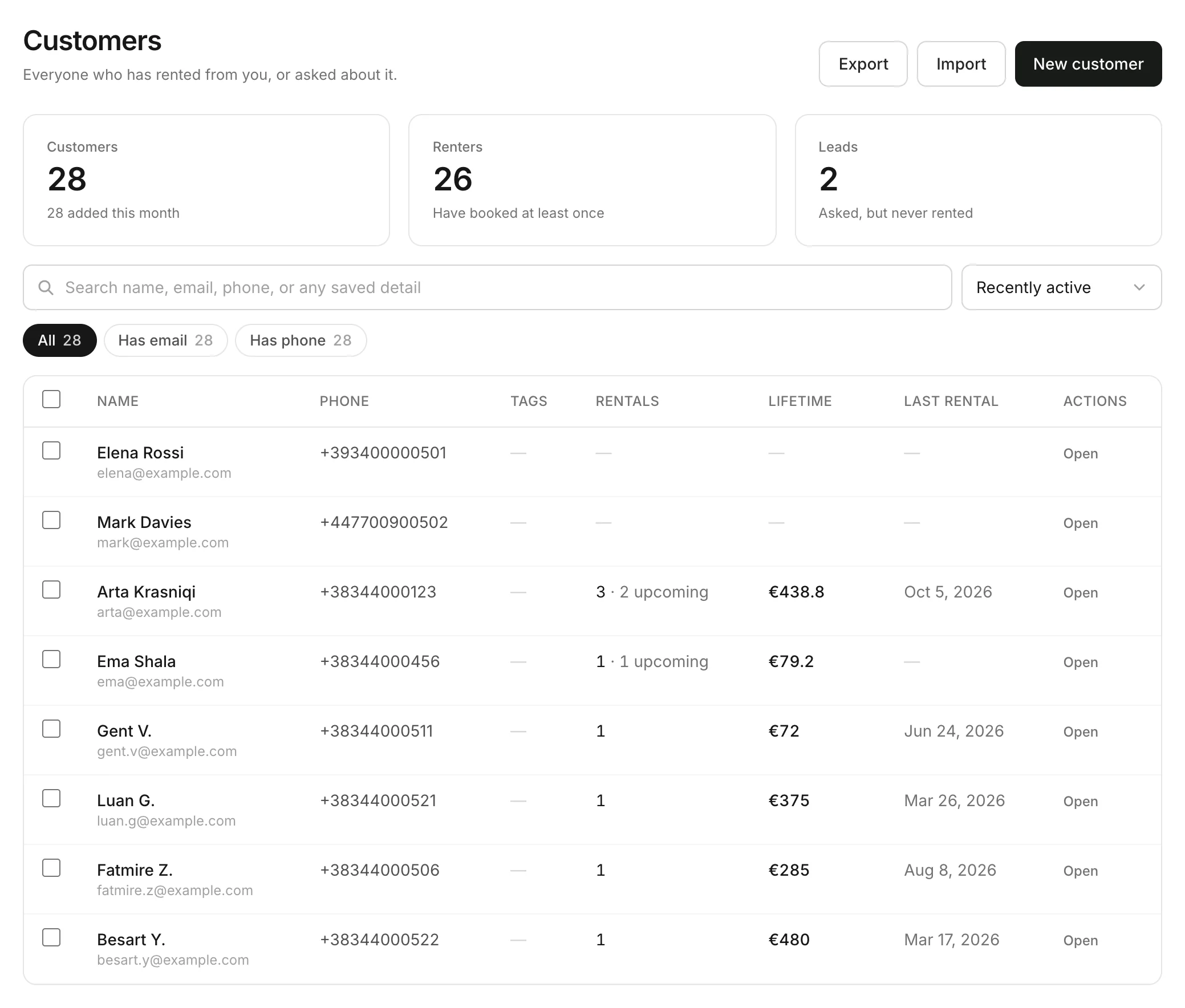
Your customer list
Every renter and lead, with rentals, ID and reviews.
Available onWebsiteiPhoneAndroid
Everyone who has booked with you or written to you is on your customer list. They're added on their own.
Open a customer
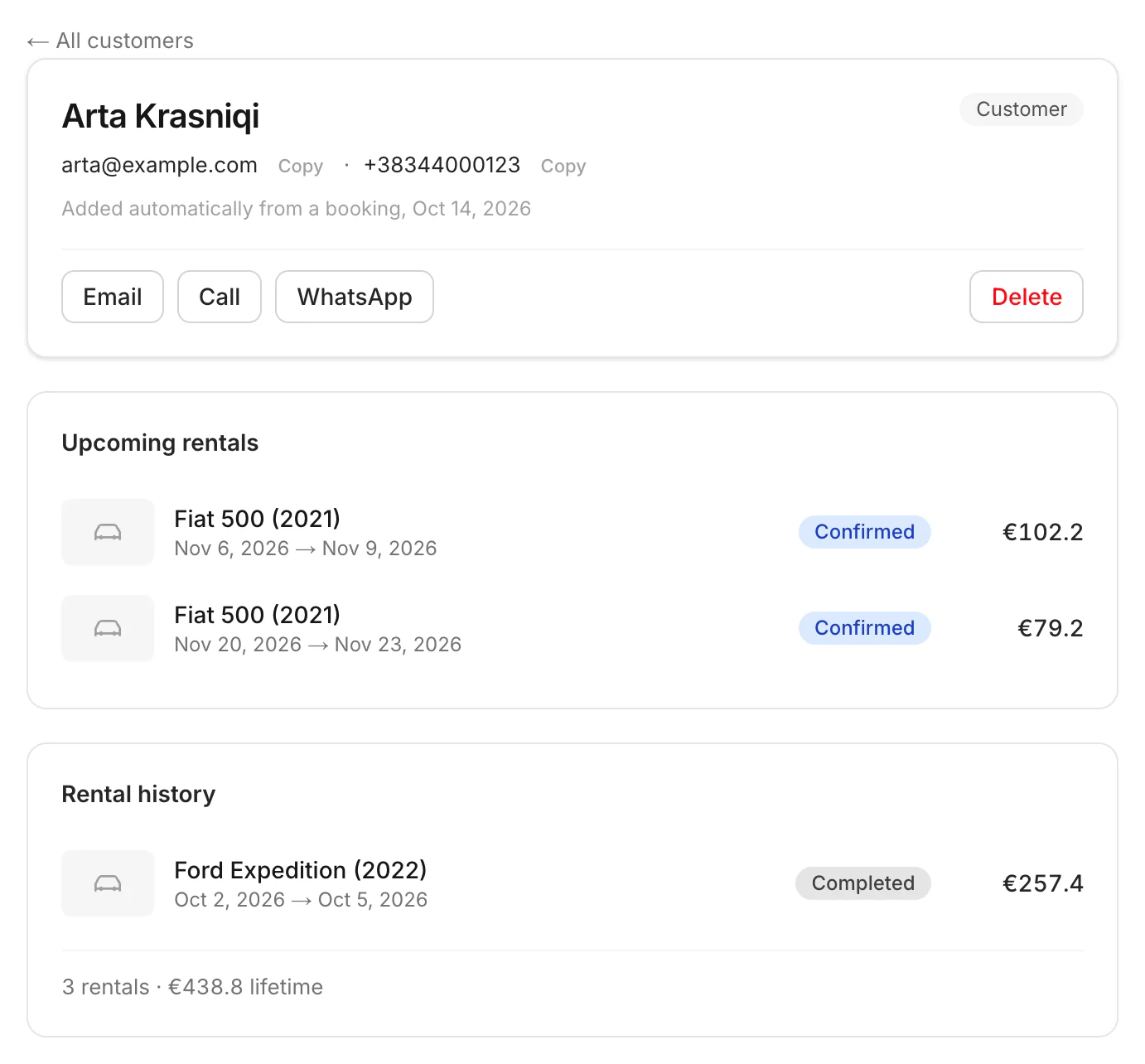
Click a name. You see their contact details, upcoming rentals and rental history, your chat, and their licence and ID. Add notes and tags for your team.
Good to know
- Renters have booked at least once. Leads have asked but never rented.
- On the dashboard only: add a customer (New customer), notes, tags, import and export, and merging two records of the same person.
- Owners and managers can import, export, merge and delete customers.
- Bring in your old list: Import customers
Still need help? Contact Rento support from your company dashboard.