Book and pay
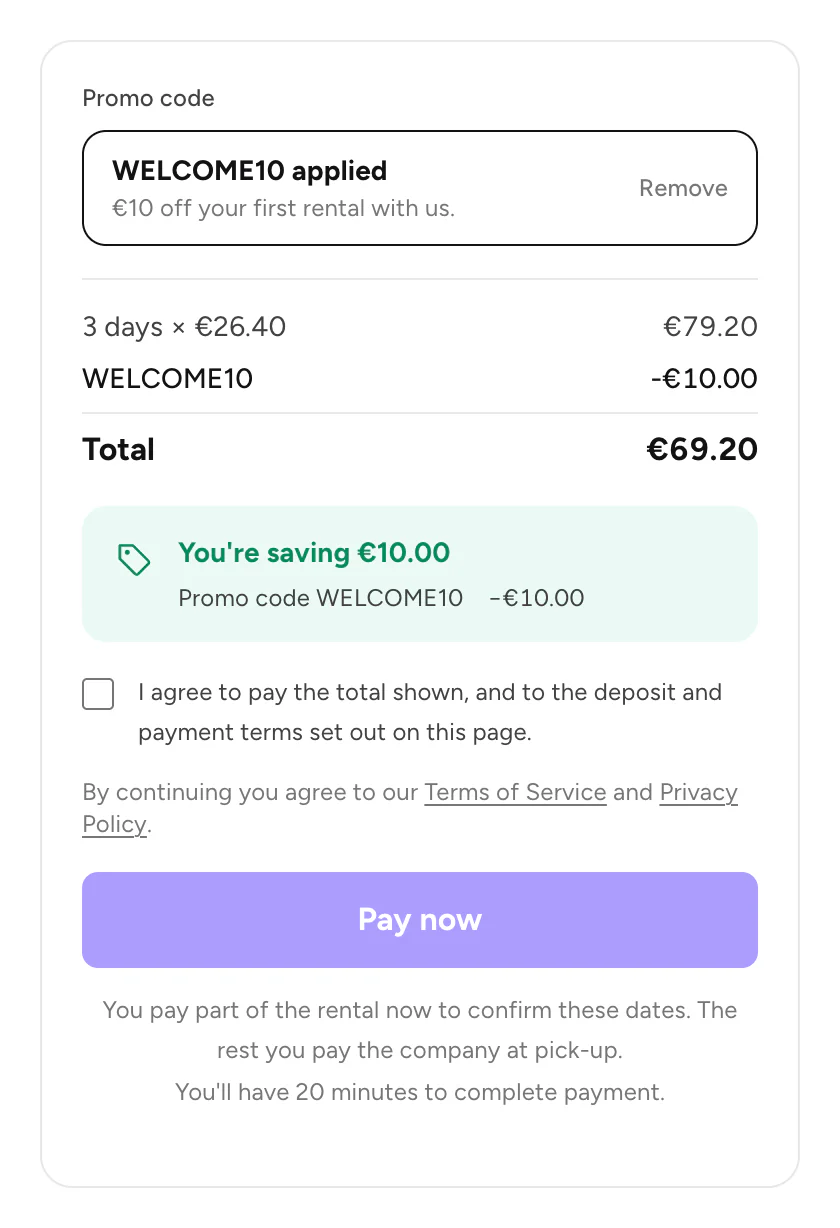
Use a promo code
Enter a code at checkout to get a discount.
Available onWebsiteiPhoneAndroid
Steps
Good to know
- The discount lowers both parts: what you pay now and at pick-up. What you pay
- Changed your mind? Tap or click Remove next to the code.
- Each code has its own rules. It may work only with one company, some cars or dates, a minimum rental, or once per person. If a code doesn't work, the message says why.
Still need help? Contact Rento support from your account on rento-ks.com.